Using Playwright on Github Codespaces
Background
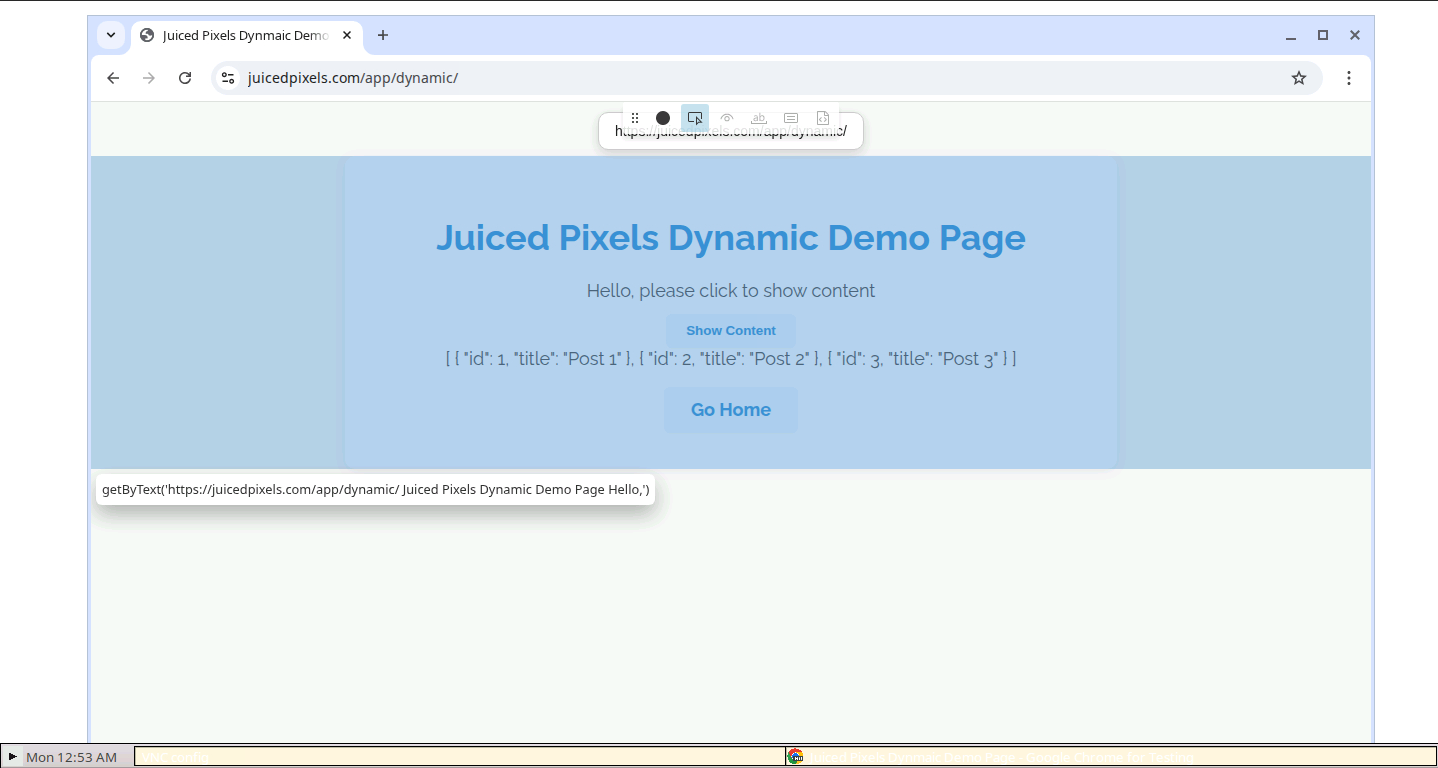
It’s possible to run Playwright on Github Codespaces using the in-built VNC client in the docker image to inspect elements and record tests.
Set up a .devcontainer/devcontainer.json file and enable the desktop-lite feature:
{
  "name": "Playwright Testing",
  "image": "mcr.microsoft.com/playwright:v1.57.0",
  "forwardPorts": [6080],
  "postCreateCommand": "npm install && npx playwright install",
  "features": {
    "desktop-lite": {
      "password": "vscode",
      "webPort": "6080"
    },
    "git-lfs": {}
  },
  "customizations": {
    "vscode": {
      "extensions": [
        "ms-playwright.playwright",
        "dbaeumer.vscode-eslint",
        "esbenp.prettier-vscode",
        "github.vscode-github-actions"
      ]
    }
  }
}
This opens the VNC viewer on port 6080, so when you use the Playwright extension to “Show browser”, “Pick locator” or “Record at cursor” it will open in the VNC viewer on port 6080 which you can use for these purposes: